
How to Shorten a WhatsApp Link in Malaysia (Custom Alias + Tracking)
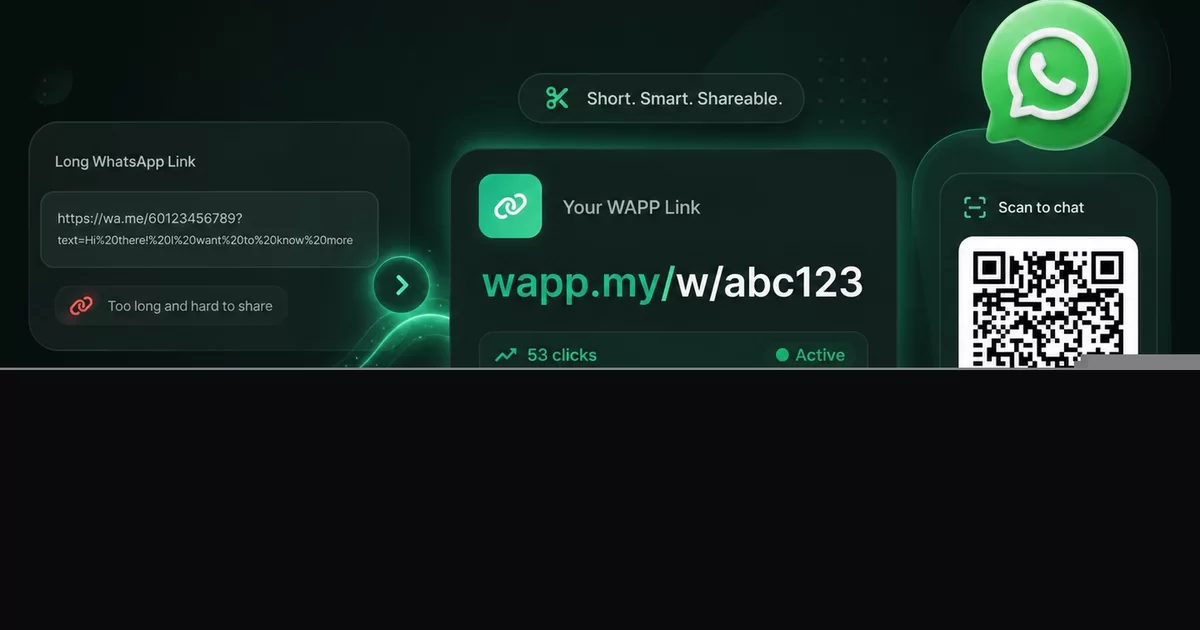
Ask any Malaysian business owner how they share a WhatsApp chat link and you usually get the same answer: they copy whatever WhatsApp hands them, paste it into a broadcast, and hope for the best. The result is a link that runs to several lines, wraps awkwardly inside the chat bubble, and tells the customer nothing about who is on the other end.
A shortened WhatsApp link fixes all three problems at once. Instead of a wall of characters, your customer sees wapp.my/r/yourbrand — short enough to read aloud, clean enough to print, and trackable from the moment it is clicked. This guide walks through the exact steps, the alias rules WAPP.MY enforces, and the mistakes that quietly kill click-through rates.
More than 150,000 Malaysian businesses already build their links on WAPP.MY, and the platform has created over 18 million links. Everything below works on the free plan, and short links are labelled BETA in the member app, so expect the feature to keep improving.
Why a WhatsApp Link Needs Shortening in the First Place
A WhatsApp chat link is built from three things: the destination number, a pre-filled message, and the encoding that lets that message survive the journey. Messages with spaces, emoji, line breaks and a promo code turn into a very long string of percent signs and numbers.
That length causes real problems in Malaysia:
- It wraps and looks broken. A three-line link in a chat bubble feels spammy, and many customers will not tap something that looks machine-generated.
- It cannot be printed. Business cards, packaging and shopfront stickers need a URL a human can type.
- It cannot be said out loud. Nobody reads a 200-character string over the phone or on a livestream.
- You learn nothing. A raw link gives you no click count, no device split and no country data.
- It is easy to corrupt. One character lost in a copy-paste and the chat opens with the wrong message, or does not open at all.
The Two WAPP.MY Shapes: a Bare Number Link and a Custom Alias
Before you shorten anything, it helps to know which shape you are building. WAPP.MY gives you two ways to hand a customer a WhatsApp chat.
- Bare number link — the number sits directly in the path, for example wapp.my/60123456789/Hi%2C%20I%20want%20to%20order. Fast to build, always readable, and perfect when the message rarely changes.
- Custom alias short link — a branded code under /r/, such as wapp.my/r/kedaikopi, that forwards to your WhatsApp link or any other page. This is the shape you print, broadcast and reuse.
The bare number link is already far shorter than the raw URL WhatsApp produces. The custom alias is shorter still, and it is the only one you can repoint later without reprinting anything.
Shorten a WhatsApp Link in Six Steps
- Register a free WAPP.MY account. No credit card is needed, and it takes about 30 seconds.
- Build the WhatsApp link first. Open the WAPP.MY WhatsApp link tool, enter your business number, and type the pre-filled message you want waiting for the customer.
- Test it on your own phone. Send it to yourself over WhatsApp and confirm the chat opens with the correct number and message before you shorten anything.
- Create a short link. Open the WAPP.MY short link tool, paste the WhatsApp link as the destination, and type a custom alias.
- Save and copy. WAPP.MY returns wapp.my/r/youralias together with a downloadable QR code.
- Share it. Use the short link everywhere — broadcasts, bio, print and ads — and keep the bare WhatsApp link as your fallback.
Because the destination is editable, a promo that changes every week only needs the underlying WhatsApp message updated. The alias you printed stays exactly the same.
Custom Alias Rules You Must Pass
The alias is the part after /r/, and the server validates it strictly. Learn the rules once and you will never see a rejection again.
- Length: 6 to 30 characters.
- Allowed characters: lowercase a to z, digits 0 to 9, and hyphens.
- No leading or trailing hyphen. kedai-kopi passes; -kedai-kopi- fails.
- Some words are reserved by WAPP.MY and cannot be used at all.
- Codes must be unique. If kopi is taken, try kopi-penang or kedaikopi.
A strong alias says who you are, survives being heard once over a noisy phone line, and still makes sense if a chat app swallows the hyphen. For more naming patterns, see the alias section in our guide to free URL shorteners in Malaysia.
wapp.my/r/yourbrand vs a Bare Number Link
| Factor | Custom alias (/r/) | Bare number link |
|---|---|---|
| Example | wapp.my/r/kedaikopi | wapp.my/60123456789/Hi... |
| Readable out loud | Yes | Number only |
| Printable on a card | Yes | Rarely |
| Change destination later | Yes, edit anytime | No |
| Pre-filled message | Inherited from the destination link | Built into the path |
| Click analytics | Yes | Yes |
| Best for | Brands, print, campaigns, bios | Quick one-off shares |
Use the alias when the link represents your brand and will be seen more than once. Use the bare number link for a quick throwaway share where the message matters more than the identity.
Sharing by QR Code — Print Once, Redirect Forever
Every short link can be downloaded as a QR code image, free, straight from the dashboard. Because the QR points at your alias rather than at the WhatsApp link itself, you can change where the scan lands without reprinting a single sticker.
Malaysian businesses put that QR in more places than you would expect:
- Parcel inserts and product packaging
- Receipts, invoices and thank-you cards
- Table tents at restaurants and food courts
- Shopfront window stickers and vending machines
- Salon, clinic, workshop and tuition-centre counters
It pairs well with a digital vCard for saving contact details, or a Bio Links page when one scan needs to offer several options. If you sell through your profile, the WAPP.MY marketplace is the next place to point a link.
How Tracking Works on a Shortened WhatsApp Link
Open any saved link in your dashboard and you get total clicks, unique visitors counted by IP address, repeat visitor percentage, device, browser, operating system, country, UTM source, referrer and a last-7-days trend.
Two honest limits, because misleading analytics help nobody. First, geography is country level only — there is no city or state breakdown. Second, known bots are filtered out before a click is stored, so crawler traffic does not inflate your numbers. If you want a deeper read on turning those clicks into conversations, read how to get more WhatsApp leads in Malaysia.
One subtlety is worth understanding: UTM parameters behave differently on WhatsApp links. On a standard /r/ short link, UTM tags are recorded in your dashboard and forwarded to the destination. On a WhatsApp-type link, UTM is recorded only, because WhatsApp does not read UTM parameters. You still see the click; you simply cannot pass campaign data into the chat itself.
Every link can be paused, edited or deleted. Deleting is permanent — the click history is destroyed and the code is released for anyone to register again, so export anything you need first. If an account is suspended for abuse, its links stop forwarding and visitors see a branded 403 "Link Forward Blocked" page instead of a dead end.
Why Shorten a WhatsApp Link on WAPP.MY and Not a 3rd-Party Shortener
This guide asks you to do two things in sequence: build a WhatsApp chat link, then wrap it in a short alias. The second step is where you actually have a choice, and it is worth knowing what changes depending on where you shorten it.
On WAPP.MY, both halves live in the same place. The chat link is built by the WAPP.MY WhatsApp link tool, the alias pointing at it is built by the short link tool, and both land in one list under Links & WhatsApp in your member sidebar. You open a single dashboard, see the chat link and its shortened form side by side, and edit the destination without leaving the page. That matters more than it sounds: when a shortened chat link stops opening the way you expect, there is exactly one place to look and one support conversation to have.
Choose a third-party shortener instead and you are stitching two unrelated products together. The chat link comes from one vendor and the alias from another — a QR code on a shopfront sticker points at a domain that knows nothing about the chat inside it. The two halves also drift apart as they age: a pre-filled message updated on one side does not travel to the other, and no single view answers the question you actually asked, which is "did that broadcast turn into conversations?" That is the gap this article exists to close.
If the definition itself is still fuzzy, our explainer on what a short link is covers the basics before you compare providers.
| What you are comparing | WAPP.MY | Many 3rd-party shorteners |
|---|---|---|
| WhatsApp link in the same dashboard | Yes — the chat link and its alias sit in one list under Links & WhatsApp | Not typically part of the product; the chat link is built elsewhere |
| Click analytics on the free tier | Included — total clicks, unique visitors by IP, repeat rate, device, browser, OS, country, UTM source, referrer and a last-7-days trend | Varies by plan; the deeper reporting layers are commonly reserved for paid tiers |
| Custom alias without paying | Free, 6 to 30 characters, for both chat links and URL links | Often metered, and commonly a paid feature |
| Link quota | No quota found in the product | Varies by plan; free tiers are frequently capped |
| Ads on the free version | None — no ads and no interstitial between the tap and the chat | Varies; ad-supported or interstitial free tiers are common |
| QR code download | Free PNG for every saved link | Commonly offered on paid tiers, sometimes watermarked |
| UTM support | Free — recorded only on chat links, recorded and forwarded on URL links | Varies by plan; check the current feature list |
| Custom branded domain | Not offered today | Commonly offered on paid tiers |
| Link expiry and password protection | Not offered today | Commonly offered on paid tiers |
| Account needed for a basic WhatsApp link | The chat link builder works without one; the alias and its analytics need a free account | Usually an account is required before anything is tracked |
We have deliberately left third-party free-tier limits, quotas and pricing out of the table above. Those terms change often, and only the provider's own pricing page is authoritative on the day you read it. Our own column is the one we can state plainly: there is no premium gate on short links at all, and no separate product to buy for the WhatsApp chat on the other end.
When a 3rd-party shortener may suit you better
We would rather you pick the right tool than the one we happen to sell, so here is where we lose. If any of the following are firm requirements for a particular campaign, a global shortener is the better home for it.
- A custom branded domain. If the link printed on your packaging has to read go.yourbrand.com rather than sit on wapp.my, WAPP.MY does not offer that today.
- Link expiry. If the alias itself must stop working on a set date — a one-week voucher, a seasonal menu, a limited drop — you need expiry controls, and we do not have them. Delete a WAPP.MY link and it stops immediately and permanently, but there is no scheduled end date.
- Password-protected links. Gating a link behind a password is not part of the product.
- You operate mainly outside Malaysia. Our audience, our support and our toolkit are tuned for Malaysian businesses, so a provider with a worldwide footprint will fit a global operation better.
What we deliberately do not offer, in one line: no custom domain, no link expiry, no password protection. If any of those are deal-breakers, we would rather tell you now than have you discover it after signing up. What you get instead is the WhatsApp link and its short form in one dashboard, unlimited free aliases, full click analytics, UTM support and free QR codes — and the fuller comparison lives in our guide to free URL shorteners in Malaysia.
Worked Examples from Three Malaysian Businesses
A home caterer
Before: a long raw link pasted into a 200-person WhatsApp broadcast. After: wapp.my/r/nasilemakcatering on the flyer, in the bio and in every broadcast. Same destination, one alias, and a click count that finally shows which broadcast sold the most trays.
A car workshop
Before: customers calling to ask for the location, then getting a Maps URL typed out by hand. After: wapp.my/r/bengkel-utama printed on the receipt, forwarding to a chat with "Hi, I would like to book a service" already typed. Fewer calls, faster bookings.
A tuition centre
Before: three different links for enquiries, timetable and fees. After: one short link on the shopfront QR pointing at a Bio Links page that holds the WhatsApp button, the timetable and the registration form. The dashboard shows which intake drove the clicks.
Six Common Mistakes to Avoid
- Shortening before testing. Always open your WhatsApp link once before you wrap it in an alias.
- Choosing an unspellable alias. If a customer cannot type it after hearing it once, it is the wrong alias.
- Using a short link when a chat link belongs. If the goal is a conversation, do not send people to a page first. The full comparison lives in Short Link vs WhatsApp Link.
- Expecting UTM inside WhatsApp. UTM is recorded only on WhatsApp-type links, never forwarded into the chat.
- Assuming an alias is yours forever. Delete it and the code goes back into the pool.
- Printing a QR you never scanned. Test every printed QR with a real phone before the printer run.
Get the fundamentals right and the rest is repetition. For the wider playbook, start with WhatsApp marketing tips for Malaysian businesses and digital business card vs paper card.