
How to Create a Short Link — Step by Step with Alias, UTM and QR Code
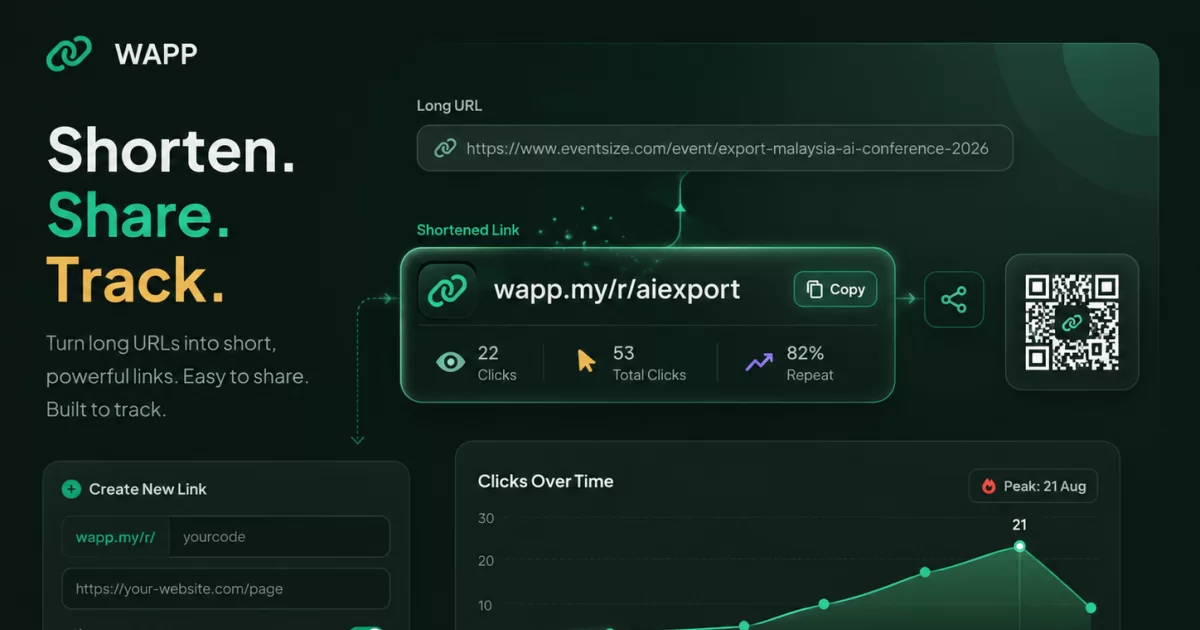
You already have a link in mind. Maybe it is a Shopee store URL with forty characters of tracking junk attached, a Google Form address nobody will type from a flyer, or a menu PDF. This is the walkthrough: what you paste, what you type, what you click, and what to check before you send it to anyone.
Everything below matches the WAPP.MY short link tool as it works today, including the alias rules the server actually enforces and the one UTM limit most guides get wrong. More than 150,000 Malaysian businesses create links here, and the platform has produced over 18 million links.
Two Ways to Create a Short Link, and When to Use Each
Both work, and neither needs a credit card. The difference is what you get back afterwards.
Instant, no account
Paste the destination and you get a working link immediately — ideal for a one-off share or a quick sanity check. Nothing is saved, so there is no custom alias, no analytics, no UTM, no QR download, and nothing to edit, pause or delete later.
With a free account
Saving the link unlocks the useful part: a custom alias you choose, click analytics, UTM campaign tracking, a downloadable QR code, and edit, pause and delete controls. Sign-up takes about thirty seconds and the free version carries no ads.
How to Create a Short Link, Step by Step
Seven steps, in order. Steps 3, 4 and 6 are optional.
Step 1: Open the short-link tool
Go to the WAPP.MY short link tool. Nothing to install, and it works the same on a phone. You will see two tabs: Shorten URL and WhatsApp Link. This walkthrough uses Shorten URL, the tab that points at a web page; if you want a link that opens a chat instead, use the WhatsApp link tool.
Step 2: Paste the destination URL
In the field labelled Destination URL, paste the long address people should land on. Copy it from your browser's address bar so the full address comes with it, https:// included — a missing https:// is the usual reason a URL is rejected. One limit worth knowing: a short link only forwards to an existing page, so it cannot get past a login.
Step 3: Set a custom alias (optional)
Under the URL is Custom alias (optional), with wapp.my/r/ already printed in front. Type the word you want your link to end with, because this is the part people read, say out loud and print. Leave it blank and a six-character code is generated instead — fine for a link that is only ever tapped, poor for one that gets typed. The field checks as you type and flags anything too short, disallowed, already taken or reserved.
Step 4: Add UTM parameters (optional)
If you track campaigns, label the link with utm_source, utm_medium and utm_campaign here, or store default UTM values on it so every campaign built from that link inherits them. If you do not run analytics, skip it — half-tagged links are worse than untagged ones.
Step 5: Generate the link
Click Generate My Link. The tool shows the finished link, wapp.my/r/yourbrand, with your destination underneath. If you are signed in, it is saved to your link list in the member app, where the feature is labelled BETA.
Step 6: Copy the link or download the QR code
Copy the short link for anything digital, and download the QR code for anything physical. The download is free and unwatermarked, ready for a design file, a receipt template or a sticker print run.
Step 7: Test it before you share it
Open the link in a fresh tab and confirm it lands where you intended, then scan your own QR code from a second device. Sixty seconds here is the difference between a campaign and an apology.
The Custom Alias Rules, Exactly
These are enforced by the server. A custom alias must be:
- 6 to 30 characters long — no shorter, no longer.
- Made of lowercase letters a to z, digits and hyphens only. Uppercase letters and spaces are rejected.
- Not starting or ending with a hyphen. kedai-kopi is valid; -kedai-kopi- is not.
- Unique. If someone already holds the alias you want, you need a variation.
- Free of reserved words — a small set of terms is blocked by the platform.
Five aliases that work
- wapp.my/r/kedai-kopi — says who you are and survives being read aloud once.
- wapp.my/r/raya-2026 — campaign plus year, so the offer has a season.
- wapp.my/r/menu-bm — short, hyphenated for readability, specific about which menu.
- wapp.my/r/kltuition — no hyphen needed, easy to spell after hearing it.
- wapp.my/r/parcel-insert — names the placement, so the analytics show which channel worked.
Five aliases that fail
- -raya-2026 — starts and ends with a hyphen, which the rules forbid.
- KopiPenang — uppercase letters are not allowed; aliases are lowercase only.
- kopi penang — the space is not one of the three permitted character types.
- kopi — four characters, below the six-character minimum.
- this-is-my-penang-coffee-shop-opening-promotion-2026 — far past the thirty-character maximum, and unreadable even if it fit.
When your first choice is taken, add a meaningful word rather than a digit. wapp.my/r/kopi-penang reads like a business; wapp.my/r/kopi2 reads like a mistake.
UTM Parameters for People Who Are Not Marketers
A UTM parameter is a small label added to the end of a URL that tells your analytics tool where the click came from. The visitor sees no difference; it is how you tell a WhatsApp broadcast apart from an Instagram bio.
What the three tags actually do
- utm_source — the platform the click came from: whatsapp, instagram, facebook, packaging.
- utm_medium — the type of channel: broadcast, bio, paid-ads, sticker-qr.
- utm_campaign — which specific push it belongs to: raya-2026, merdeka-promo, parcel-oct.
Naming table with Malaysian campaign examples
| Where you share it | utm_source | utm_medium | utm_campaign |
|---|---|---|---|
| WhatsApp broadcast to past customers | broadcast | raya-2026 | |
| Instagram bio link | bio | raya-2026 | |
| QR sticker on parcels | packaging | sticker-qr | parcel-oct |
| Facebook paid ad | paid-ads | merdeka-promo | |
| Shopfront window QR | shopfront | sticker-qr | walkin-2026 |
Keep the campaign value identical across channels for the same offer, so one set of numbers answers both "how did raya-2026 do?" and "which channel did best?"
The honest limit: WhatsApp drops UTM
For a /r/ short link, UTM parameters are recorded in your dashboard and forwarded to the destination, so your website analytics sees the campaign tags. For a WhatsApp-type link that opens a chat, UTM is recorded only, because WhatsApp does not read UTM parameters and the tags never reach the conversation. The click is still counted; the campaign data simply stops at WAPP.MY. The UTM and short link tracking guide goes deeper.
Download and Print the QR Code
Every saved short link downloads as a QR code image from your dashboard, free and unwatermarked. Because the QR points at the short link rather than the final page, you can change where it lands without reprinting anything — print once, redirect forever.
Malaysian businesses put them on product packaging and parcel inserts, receipts, business cards, shopfront stickers, vending machines and table tents. A scan can also open a Bio Links page offering a menu, chat button, map and review link at once, or a digital vCard that saves your contact details. The QR code and short link guide for Malaysian businesses covers the print side properly.
Test the Link Before You Share It
- Open it on a desktop browser. Watch the address bar: after the hop it should show the real destination, not the short link, and the page should be the one you chose.
- Open it on your own phone. Confirm it loads in a phone browser rather than a broken in-app view.
- Scan your own QR code with a second device. This is the only way to know the printed image is readable at the size you plan to print.
- Confirm the click was recorded. Reload your link list and check the count moved. Your own test clicks count, so a click or two is you.
Reading Your First Results
Once the link is live, the dashboard turns each tap into something you can act on:
- Total clicks — every accepted hit since the link was created.
- Unique visitors — de-duplicated by IP address, so one person refreshing does not inflate it. An office, campus or mall behind one shared connection will under-count real people.
- Repeat rate — how many visitors came back, a quick signal of genuine interest.
- Device, browser and operating system — useful when deciding whether a campaign should point at an app or a web page.
- Country — where your clicks come from. Country only: there is no city, state or region breakdown. If you need Penang versus Johor, build separate links and compare them.
- UTM source — which campaign channel drove the click.
- Referrer — where the visitor was before they tapped, when the platform passes that through. WhatsApp sends very little.
- Last 7 days trend — a rolling week view, so you can spot the spike after a broadcast.
Analytics appear for links saved behind a login, so create the link with a free account if the numbers matter.
Managing Links Afterwards
- Edit replaces the destination. The short URL itself never changes, which is the point: printed QR codes and shared links keep working while the page behind them moves.
- Pause stops the link forwarding until you reactivate it. This is the reversible option, and usually the one you want when an offer ends.
- Delete is permanent. Deleting a link destroys its click history and releases the code, so anyone else can register that alias afterwards. Pause instead if you only want it to stop forwarding.
Common Mistakes to Avoid
- Sharing an untested link. The page moved, the form closed, and a customer tells you first.
- Choosing an alias that fails the rules. Uppercase letters, spaces, a leading hyphen, under six characters.
- Sharing before adding UTM. Once a broadcast is out, those clicks can never be attributed.
- One generic QR code for every placement. Parcel, shopfront and table tent each deserve their own alias and UTM source.
- Deleting when you meant to pause. Deletion takes the click history with it and frees the code for anyone to claim.
Create Your Short Link Now
That is the whole process: paste a destination, choose a readable alias, optionally tag it, generate, then download the QR code and test it once.
Start on the WAPP.MY short link tool and create your first link for free. If you want the concept first, the plain-English explanation of what a short link is takes five minutes, and the free URL shortener Malaysia guide covers what the free plan includes. When the goal is a conversation rather than a page, compare the formats in short link vs WhatsApp link. Given that WhatsApp messages see a 98% open rate, the click is the only part of the campaign you still have to win.